
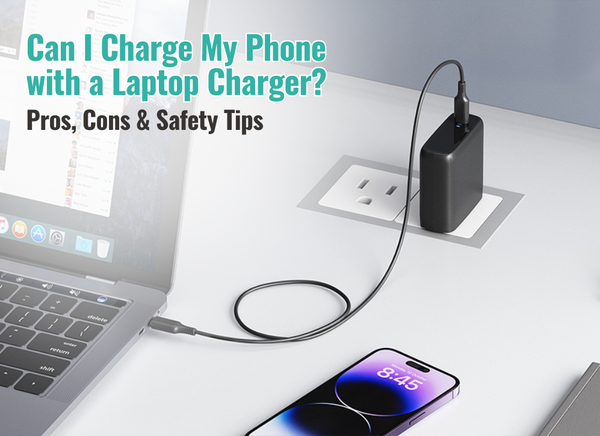
Can I Charge My Phone with a Laptop Charger? Pros, Cons & Safety Tips
Apr 24, 2025
In today’s modern world wherein USB-C fast-charging chargers are in demand, many
would prefer a more flexible and safety option which optimizes and combines their needs
into a one-item solution. Portability, convenience, and flexibility—you would rather buy
one item which covers two to three purposes, right?
Let’s dive into whether it’s safe to use laptop’s charger to charge your phone, its
convenience, potential risks, and safety tips.
Can you? Yes, You Can—But with Conditions

Many of today’s technologies, such as phones and laptops, use USB-C charging ports as
they have identified its growing demand from their consumers, and many of this support
USB Power Delivery (USB-PD) wherein it allows devices to negotiate how much power
they receive or deliver—making it generally safe to simultaneously charge your phone
with a laptop charger, especially if both devices support USB-PD.
How It Works
When you plug your phone into a laptop charger:
- The devices communicate via USB-PD.
- The charger offers multiple voltage levels (e.g., 5V, 9V, 20V).
- Your phone chooses the appropriate voltage and current it can handle.
According to USB Implementers Forum (USB-IF), USB-PD is designed to prevent
overcharging or overpowering by regulating current flow between devices.
Pros of Charging a Phone with a Laptop Charger
1. Faster Charging
Laptop chargers often support higher wattages (45W, 60W, 100W+), while most
phone chargers max out at 18W–30W. If your phone supports fast charging, it can
take advantage of the higher wattage for quicker top-ups.
Example: A 65W USB-C charger can charge a Pixel 7 Pro or iPhone 15
from 0 to 50% in under 30 minutes.
2. Convenience
Using a single charger for multiple devices reduces clutter, especially during travel or in minimalist setups.
3. Universal Compatibility
Thanks to USB-C and USB-PD, many modern devices can share chargers without
compatibility issues.
Cons and Risks to Be Aware Of
1. Overheating Risks (with Older Phones or Chargers)
Phones without proper power negotiation can overheat or degrade if subjected
to higher voltage than intended. Older or non-USB-PD devices might not regulate
power safely.
2. Cable Quality Matters
Cheap or low-quality USB-C cables can:
- Overheat
- Fail to handle high wattage
- Cause power delivery issues
3. Not All Chargers Are Made Equal
Some laptop chargers use proprietary technology (e.g., Apple MagSafe, Dell
barrel chargers) or non-USB-C ports. These won’t charge your phone at all or
could damage it if incompatible adapters are used.
Safety Tips
- Use USB-C to USB-C or USB-C to Lightning (for iPhones) Cables: Avoid micro-USB or third-party adapters unless certified.
- Stick to Trusted Brands: Use chargers and cables from reliable manufacturers (Nekteck, etc.)
- Avoid Damaged or Frayed Cables: Worn-out cables can cause short circuits or power surges.
- Don’t Charge Overnight with a Laptop Charger: High-wattage charging over long periods can cause unnecessary heat buildup and shorten battery life over time.
Highly Recommended: Nekteck USB-C Chargers

If you're looking for a reliable, travel-friendly charger that works for both your phone
and laptop, Nekteck USB-C chargers are a solid pick. Many of their models are USB-IF
certified and support Power Delivery up to 100W, making them perfect for fast
charging a wide range of devices—from MacBooks and Dell laptops to iPhones and
Android phones.

Features include:
- Smart power negotiation to match your device’s needs
- Compact and foldable designs for easy portability
- Built-in safety protocols to prevent overheating and overcharging
Whether you're simplifying your setup at home or packing light for travel, Nekteck offers a budget-friendly yet high-quality alternative to OEM chargers.
Expert Opinions
“USB PD allows devices to request the exact amount of power they need. This can range
anywhere from 5W to 100W, depending on the power profile. The charger and the device communicate to ensure optimal power delivery, preventing overcharging or
undercharging.” — Cool Gear“Using a higher-wattage charger is safe, as devices are designed to request only what
they need.” — USB-IF Certified Guidance, USB.org
Conclusion
Now to make it glass-clear—YES, you can charge your phone using your laptop charger
if both devices are USB-C compatible and support USB-PD.
To verify this, look for USB-IF certification logo, check the USB-IF Integrators List, or
you can check your phone’s specs and look for USB-PD compatibility.
It will pave way for a more convenient, fast, and usually safe double charging for different devices—as long as you invest in quality cables and chargers—as what Nekteck offers to you!
